Seedance 2.5 Free AI Video Generator
Create cinematic scenes with synchronized sound, expressive performances and precise camera movement. Bring up to 50 image, video and audio references together, and tell a fuller story in up to 30 seconds.
- Up to 30 seconds
- Up to 50 references
- Video and sound together
Three check-ins. One Seedance 2.5 video.
Check in once a day. Every third cumulative check-in awards one Seedance 2.5 generation; the other two award Seedance 2.0 Mini. Missing a day does not reset your progress.
- Check-in 1
Seedance 2.0 Mini
- Check-in 2
Seedance 2.0 Mini
- Check-in 3
Seedance 2.5
The 2.5 reward covers one 5-second, 480p video in the free queue. Use it within 24 hours. Editing, extensions and other output settings use credits. Rewards depend on campaign availability.
Sign in to see your progress and collect your reward.
What is Seedance 2.5 Free AI Video Generator?
Seedance 2.5 is a joint audio-video model for developing a complete scene from a prompt and references. Seedance 2.5 Free lets you try that creative workflow with a check-in reward. The full model supports longer stories, richer reference input and targeted editing; your free reward is a 5-second introduction.
Create more with Seedance 2.5 Free AI Video Generator
Explore Seedance 2.5 capabilities through real video examples. These showcases demonstrate the model’s broader capabilities, beyond the free reward’s 5-second output.
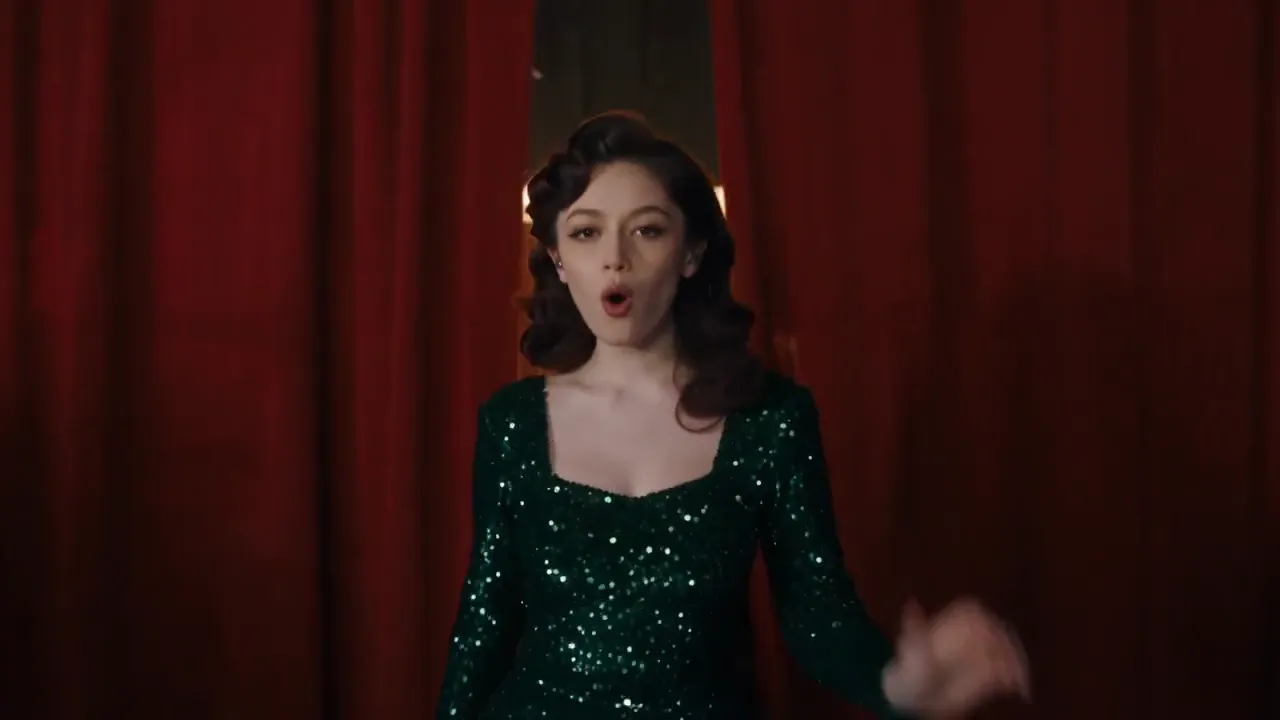
Give the story room to unfold
Plan an opening, movement and an ending within a single generation of up to 30 seconds. Seedance 2.5 coordinates camera motion, character performance and sound across the scene. Start with a short moment in Seedance 2.5 Free, then develop a longer sequence with credits.
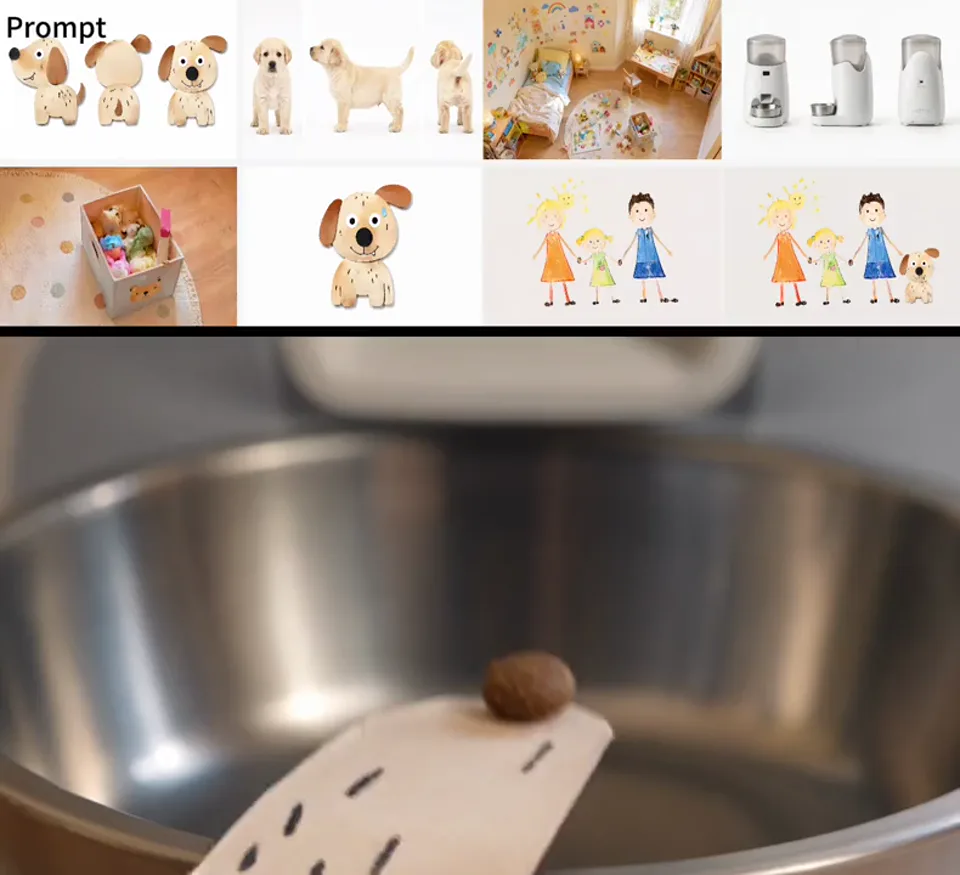
Bring your references into the same world
Combine up to 30 images, 10 video clips and 10 audio clips, with 50 assets in total. Guide characters, style and motion with your own references. In this example, a paper puppy and a real puppy share a playful scene while keeping their distinct visual styles.
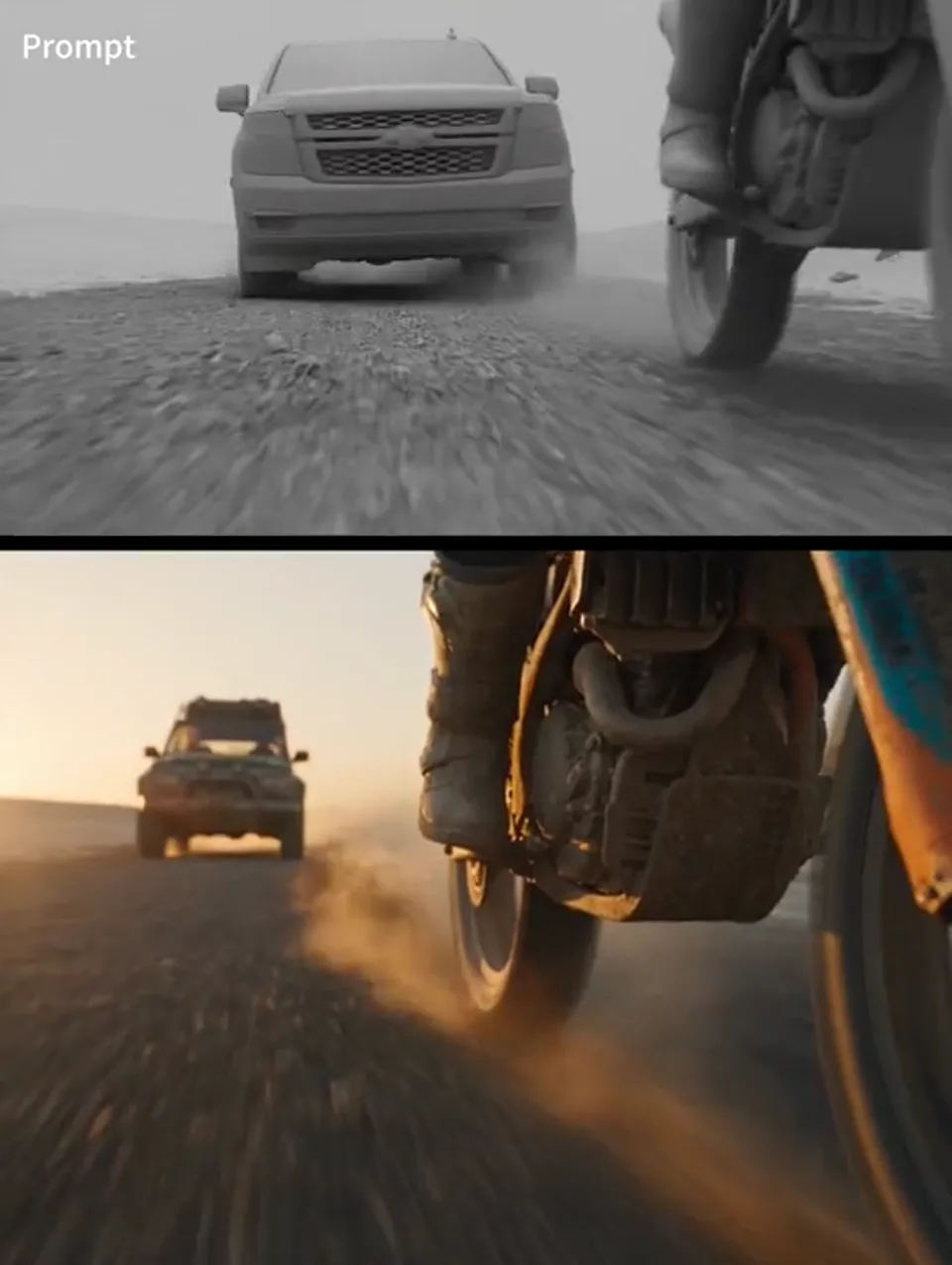
Turn a rough scene into a finished world
Use a clay-render reference to guide composition, blocking and camera paths, then define the materials, lighting and characters. This chase sequence turns a simple spatial plan into a cinematic scene with a motorcycle and an SUV.
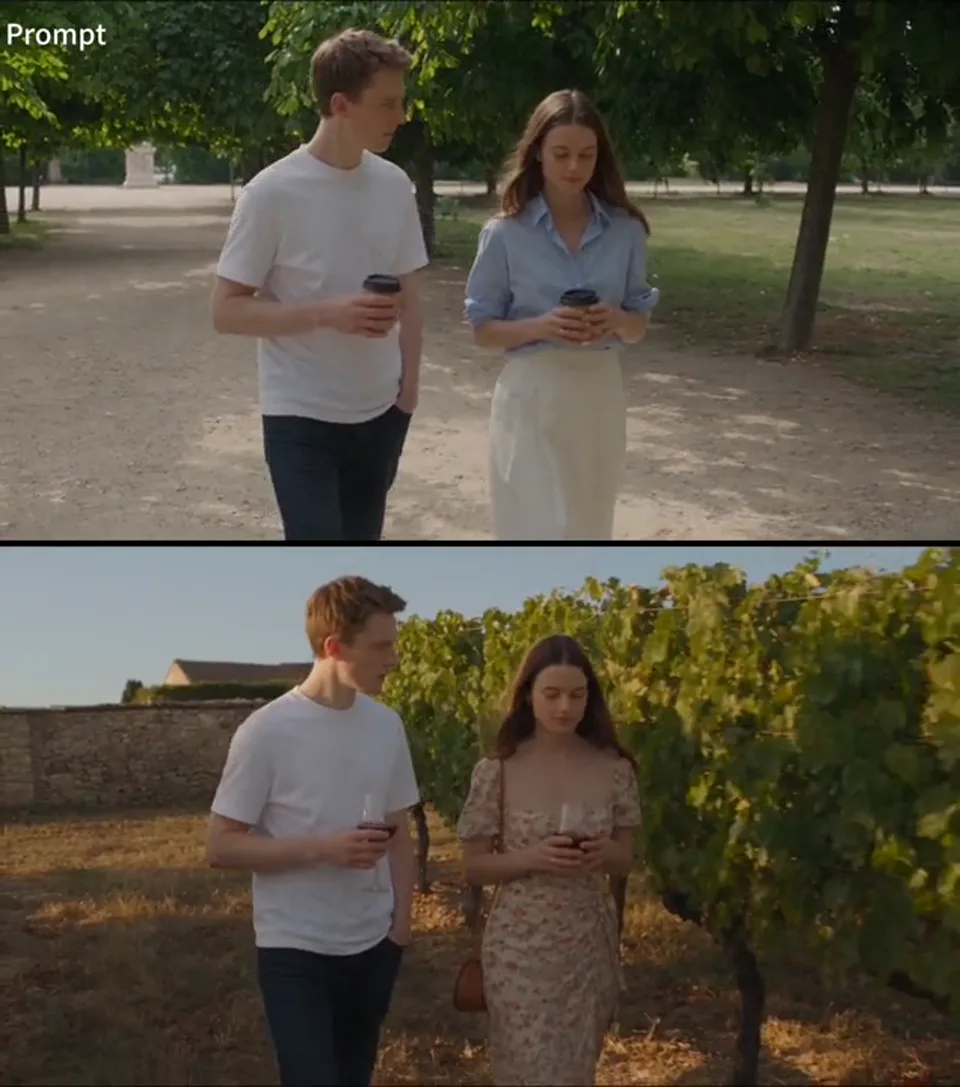
Give the same scene a new direction
Change the setting, wardrobe and props through reference-based editing. This example reimagines a conversation in a French vineyard, with wine glasses and a floral dress. Editing and video extension are available through the credit-based controls.
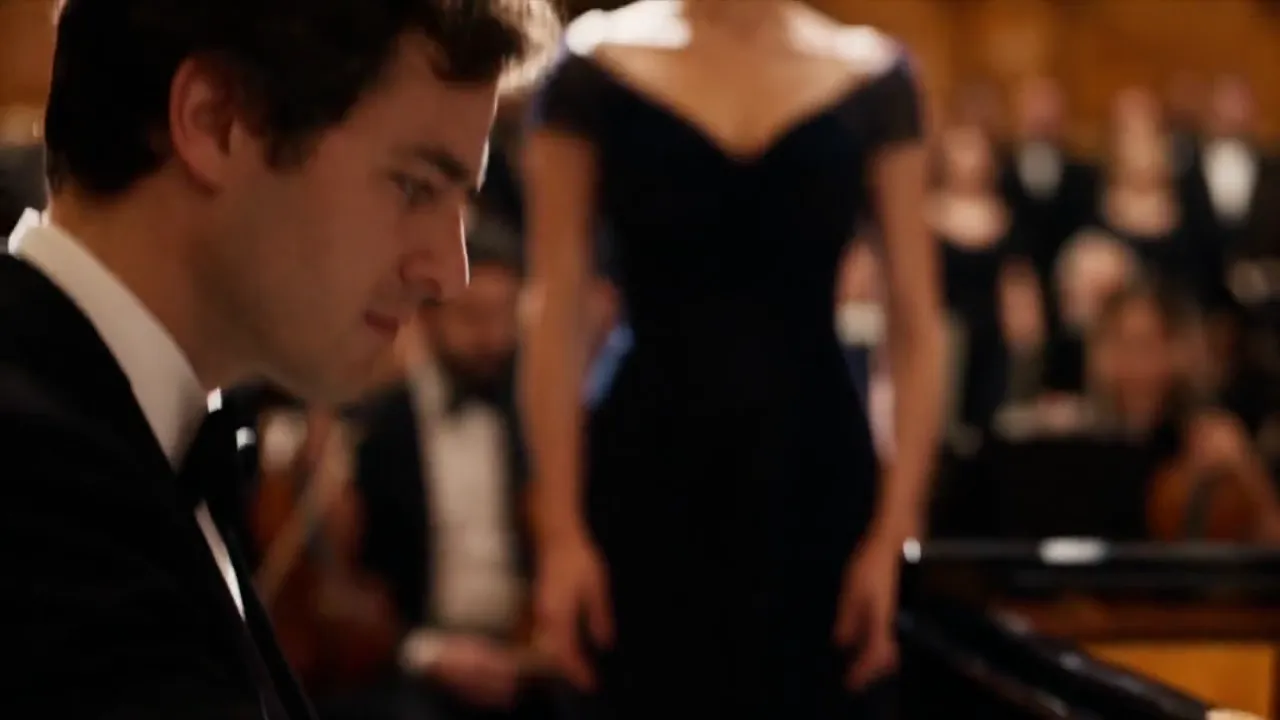
Direct a cast, a setting and a sound
Build a concert around the people and sounds that define it. Use references to guide the performers, orchestra, choir and audience, then describe how the camera moves between them. This example brings those elements together in a shared setting, with coordinated performances and sound.
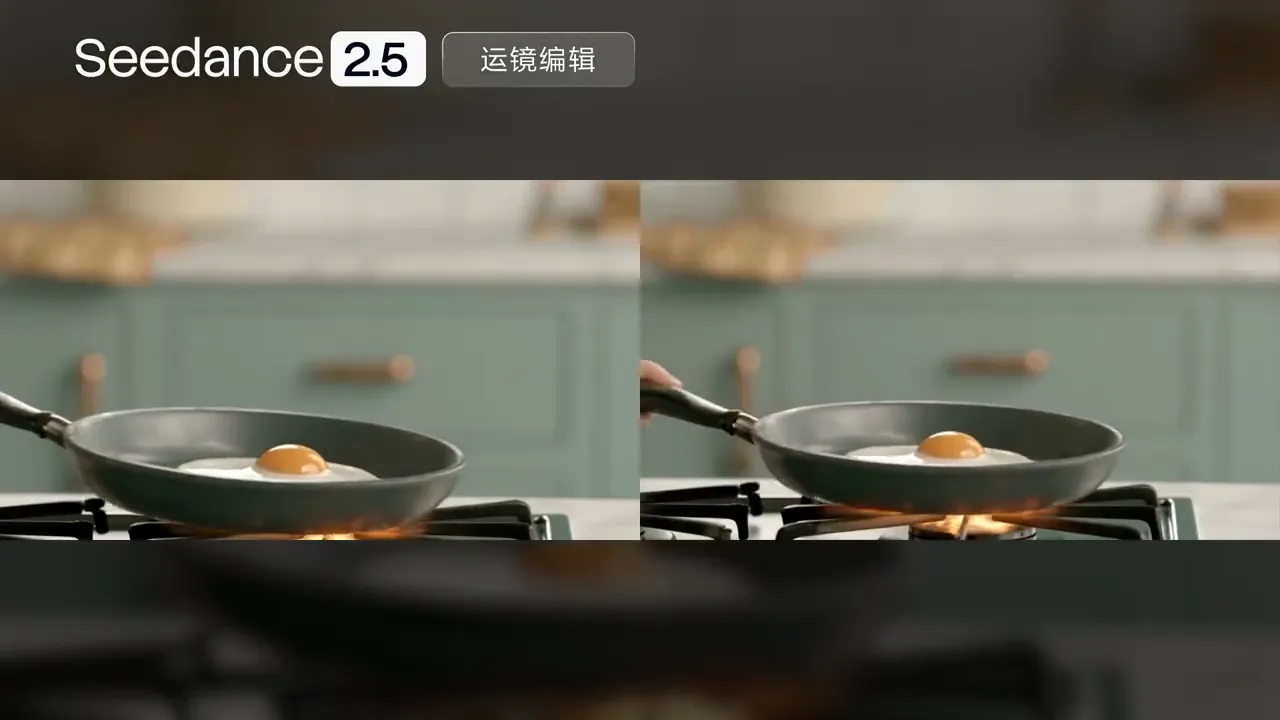
Refine the shot at the right moment
Describe changes at specific timestamps to steer camera movement or revise part of a scene. Seedance 2.5 supports reference-based editing, green-screen transformation and video extension. Use the credit-based editing controls when your Seedance 2.5 Free experiment is ready for another pass.
Compare Seedance 2.5 Free AI Video Generator with other Seedance models
Compare the settings available in this generator. Seedance 2.5 is highlighted for longer scenes, more references and editing control.
| Capability | Seedance 2.5Featured model | Seedance 2.0 | Seedance 2.0 Fast | Seedance 2.0 Mini |
|---|---|---|---|---|
| Output duration | 4–30 seconds | 4–15 seconds | 4–15 seconds | 4–15 seconds |
| Output resolution | 480p / 720p / 1080p | 480p / 720p / 1080p / 4k | 480p / 720p | 480p / 720p |
| Image references | Up to 30 | Up to 9 | Up to 9 | Up to 9 |
| Video references | Up to 10 | Up to 3 | Up to 3 | Up to 3 |
| Audio references | Up to 10 | Up to 3 | Up to 3 | Up to 3 |
| Combined reference limit | Up to 50 | Up to 12 | Up to 12 | Up to 12 |
| Total video / audio reference duration | 30s / 30s | 15s / 15s | 15s / 15s | 15s / 15s |
| Audio-video generation | Supported | Supported | Supported | Supported |
| Editing and extension controls | Supported | Not available in this generator | Not available in this generator | Not available in this generator |
| Credits for 5s at 480p | 50 | 30 | 25 | 15 |
| Best suited to | Longer stories and precise creative control | Detailed short scenes and high-resolution output | Short-form iterations at a lower credit cost | Low-cost concepts and everyday drafts |
Full model settings are shown above. Credit examples exclude video references; adding video references changes the quote. Seedance 2.5 Free rewards cover 5 seconds at 480p, with no editing or extension. The generator shows the final settings and cost before submission.
How to use Seedance 2.5 Free AI Video Generator
Collect your reward, shape a scene, then make it move.
Collect your third check-in
Sign in and check in on 3 days, at your own pace. Collecting the 2.5 reward automatically selects Seedance 2.5 and its free settings.
Describe one clear moment
Write a prompt or add image, video and audio references. For a 5-second clip, focus on one action and one camera move.
Generate and review
Confirm the free option, then submit. Your video joins the free queue. Review the result and download it when it is ready.
What you can make with Seedance 2.5 Free AI Video Generator
Start small, with a scene you can actually use.
Product reveals
Start from a product image. Describe a slow rotation, a material close-up or a controlled lighting change to test a launch-video direction.
Social video openings
Give one character a clear action and a strong opening frame. Use Seedance 2.5 Free to explore a hook before building the full edit.
Music and performance
Combine a performer reference with an audio cue. Plan an expressive gesture and camera move that match the mood of a performance.
Storyboards in motion
Bring a frame from your storyboard into motion. Test subject placement and camera direction before developing longer scenes with credits.
Animated worlds
Use an illustration or a simple spatial reference to establish a setting. Explore its lighting, texture and movement in a short animated scene.
Visual learning
Turn a focused explanation into a short visual sequence. Review factual details and timing before including the clip in a lesson or presentation.
Creative possibilities with Seedance 2.5 Free AI Video Generator
A closer look at what different creators can do with Seedance 2.5.
 Content creators
Find the opening that earns attention
Turn a product photo or a character reference into a focused opening shot with Seedance 2.5. Explore movement, mood and framing before committing to a longer edit.
 Filmmakers and storytellers
Direct the scene from the details
Bring characters, settings and camera references together. With Seedance 2.5, you can develop an idea in a longer scene, then refine specific elements with editing controls.
 Designers and creative teams
Make a concept easier to share
Put a storyboard or a rough spatial plan into motion. A scene created with Seedance 2.5 gives collaborators something concrete to discuss and a visual direction they can see.
Frequently asked questions about Seedance 2.5 Free AI Video Generator
How do I get a Seedance 2.5 Free video?
Sign in and collect check-in rewards. Every third cumulative check-in gives you one Seedance 2.5 generation; the other check-ins award Mini. If you received an eligible sign-up reward, it also counts toward your progress. Your calendar shows the current reward sequence.
Do I need to check in on consecutive days?
No. Missing a day does not reset your cumulative progress. You can claim once per day in your account’s check-in timezone, subject to reward availability.
What does the free reward include?
One Seedance 2.5 video at 480p, lasting 5 seconds. It expires 24 hours after collection and uses the free queue. Longer clips, higher resolutions, editing and extensions require credits; check the selected billing option before generating.
Can Seedance 2.5 Free use my own references?
Yes. Choose text-to-video, image-to-video or reference-to-video. Add images, video clips or audio files you have permission to use. Reference mode supports up to 30 images, 10 videos and 10 audio files; combined video and audio durations are each capped at 30 seconds.
Does the model change automatically after I claim?
When you collect a Seedance 2.5 reward on this page, the generator switches to Seedance 2.5 with free settings. You can also select “Use my Seedance 2.5 reward” while a reward is available. Collecting a Mini reward does not switch this page away from 2.5.
Can I still choose another model?
Yes. The full model selector stays available. Changing the model updates its modes, parameters and price. Rewards are tied to the model that earned them, so a Mini reward cannot pay for Seedance 2.5.
Your next scene starts with Seedance 2.5 Free AI Video Generator
Collect your check-ins. Bring one idea, a few references and a moment worth making.
Get my Seedance 2.5 reward