Seedance 2.5 API
Turn prompts, images, video and audio references into up to 30 seconds of video with Seedance 2.5 API. Explore the model in Seevio, then bring the same creative workflow into your application.
Seedance 2.5 API Is Now Available: Integration Guide
Quickly integrate Seedance 2.5 API on Seevio.ai
Seedance 2.5 API combines longer video generation, native 1080p output, multimodal reference control and precise local editing to support production-ready AI video workflows. Explore Seedance 2.5 on Seevio.ai, turn creative ideas into detailed, controllable videos, and bring powerful video generation capabilities to your next AI application.
API documentation
Explore Seedance 2.5 API capabilities
Plan the shot, bring the right references, and choose how you want to finish it. These illustrated workflows explain the controls available through Seevio.
Create longer scenes with Seedance 2.5 API
Seedance 2.5 API supports 4–30 seconds of output, giving a product reveal or character moment time to develop. Describe the opening, the action and the ending in one prompt; add camera direction and timing where they matter. For a launch film, introduce the product, show it in use and finish on a clear composition rather than squeezing every beat into a short loop.

Render native 1080p video with Seedance 2.5
Choose 480p for exploration, 720p for balanced iteration or 1080p for detailed delivery. Seedance 2.5 API makes resolution an explicit request parameter, so your application can offer quality options alongside its cost estimate. Product textures, lighting and close-up framing deserve a careful review at the chosen output size before a clip becomes part of a campaign.

Guide Seedance 2.5 API with images, motion and sound
Combine up to 30 images, 10 videos and 10 audio files, within a total of 50 reference assets. Assign each input a purpose: a product image for appearance, a location image for atmosphere, a video for movement and audio for sound direction. Seedance 2.5 API accepts these references in a shared request. Keep total reference-video duration and total reference-audio duration within 30 seconds each.

Refine scenes with Seedance 2.5 API
Use reference-guided editing to describe what should change and what should remain. Identify the subject, location or time interval precisely, and provide source footage with the visual context the edit needs. Seedance 2.5 API supports editing and extension workflows; a specific brief helps you evaluate the result against the source instead of starting every iteration with an unrelated concept.

Preview in 480p and finish in 1080p with Seedance 2.5
Try a composition as a 480p Draft, review the result, then submit its completed task ID for a 1080p final. Seedance 2.5 API retains the original prompt, references, duration and audio settings for this finishing step. An API Draft must belong to your account and be less than seven days old from creation. The final is a new, separately billed task; you can choose which preview deserves that extra render.

More control with Seedance 2.5 API
See how reference-driven creation translates into motion. These model examples illustrate creative possibilities; the images above explain the workflow.
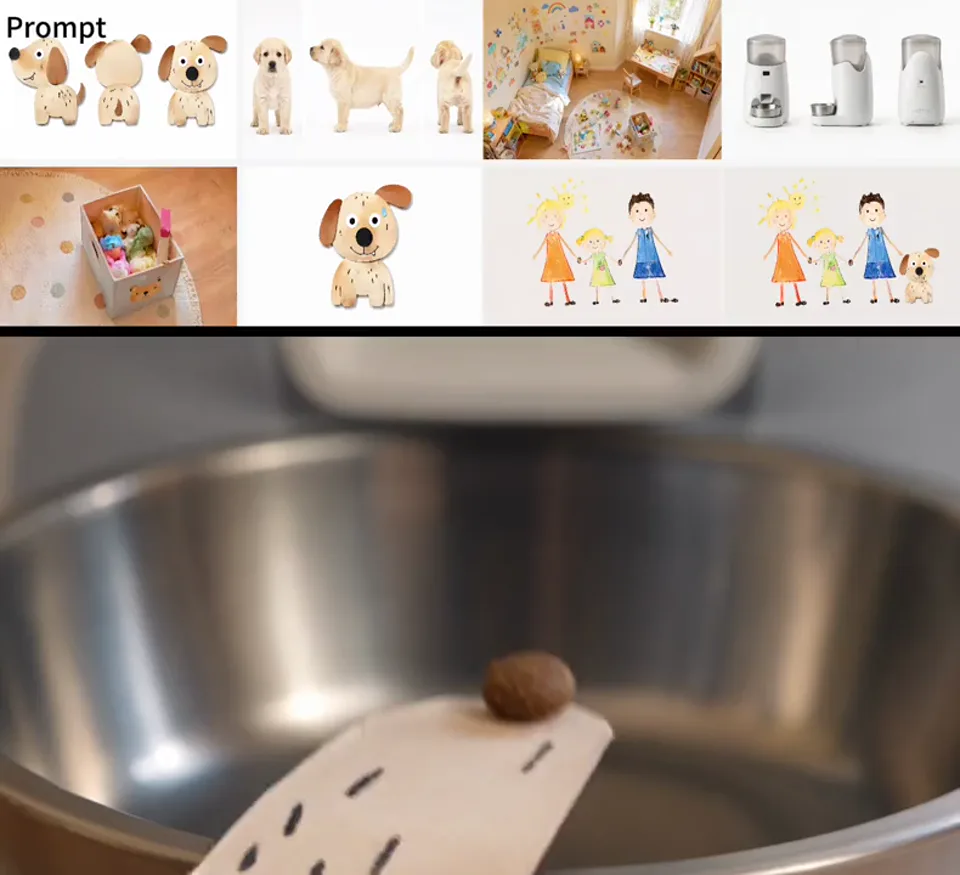
Carry visual intent into the shot
Use references to communicate appearance, composition and motion together. Build a concise brief that assigns each material a role and explains which visual relationships matter.
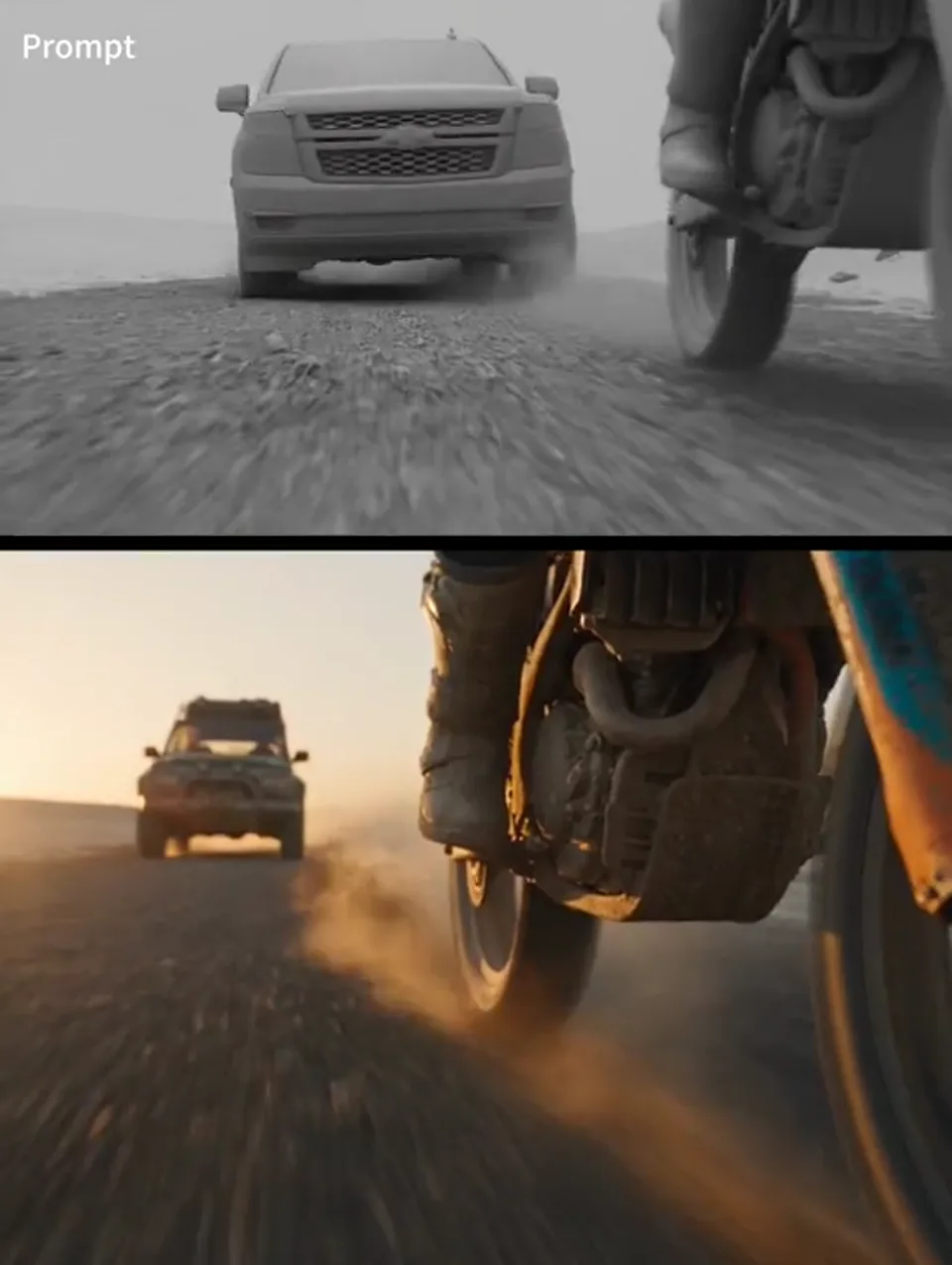
Plan camera movement and staging
A clay-render reference can communicate spatial layout and camera direction. Submit it as reference material with a description of the finished look, then inspect framing and movement in the result.
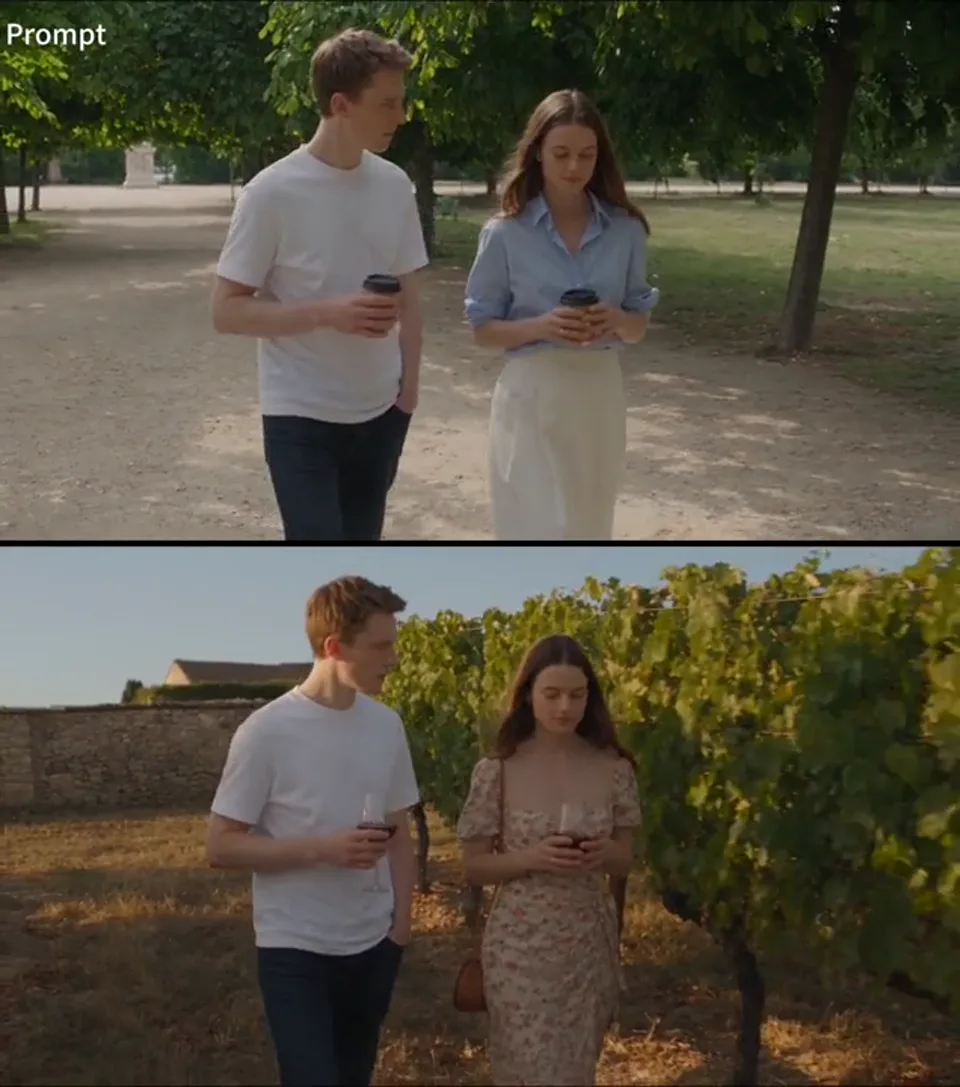
Guide a focused visual change
Reference-based editing is useful when a scene already has a clear direction. Describe the change, specify what to retain and compare the output with the original composition.
Why use Seedance 2.5 API on Seevio.ai?
Get started with Seedance 2.5 API today
Seedance 2.5 API is available on Seevio.ai. Create an API key and follow the request examples to add video generation to your product, from the first submitted task to the returned video.
One API for the Seedance model family
Access Seedance 2.0, Seedance 2.0 Fast, Seedance 2.0 Mini and Seedance 2.5 through a shared API structure. Reuse authentication and task handling while choosing the model and supported settings that fit each project.
Tasks that fit your application
Seedance 2.5 API returns a task ID instead of keeping a request open for the whole render. Poll the task endpoint or configure a callback, then update your own project when generation finishes.
Explicit billing and result handling
Credits are reserved when a task is accepted. Failed or timed-out tasks follow the API refund rules. Reference video contributes input duration to billing; consult the live model documentation when estimating costs.
Integration guidance for developers
Use the API documentation to work through request parameters, task status, callbacks and billing. When troubleshooting, share the task ID and error details with support so the issue can be investigated in context.
More models for your creative workflow
Explore video and image models alongside Seedance 2.5 in the Seevio.ai catalog. As your workflow expands, compare available capabilities and consult each model’s documentation to plan the next integration.
Seedance 2.5 API and Seedance 2.0 API
Choose a model around the required duration, reference set and workflow. These are the settings supported by Seevio, rather than a subjective quality score.
| Capability | Seedance 2.5 | Seedance 2.0 |
|---|---|---|
| Output duration | 4–30s | 4–15s |
| Resolution | 480p / 720p / 1080p | 480p / 720p / 1080p / 4k |
| Image / video / audio references | 30 / 10 / 10 | 9 / 3 / 3 |
| Combined reference limit | 50 | 12 |
| Total reference video / audio duration | 30s / 30s | 15s / 15s |
| Draft to final workflow | 480p → 1080p | — |
Model-specific limits still apply to individual files and generation modes. The API documentation contains the complete validation rules.
How to integrate Seedance 2.5 API on Seevio.ai
Move from a creative idea to a working Seedance 2.5 API integration in three steps.
- 1
Try Seedance 2.5 online
Select Seedance 2.5 in the Seevio.ai generator, enter a prompt and add reference assets as needed. Generate a sample to explore the model’s capabilities before writing integration code.
- 2
Refine prompts and generation settings
Adjust your scene description, reference inputs, duration, aspect ratio and resolution. Compare the results to find settings that suit your content and creative goals.
- 3
Connect Seedance 2.5 API to your application
Create an API key and use the documentation to submit generation requests from your server. Retrieve results through task queries or callbacks to power video apps, SaaS tools and automated creative workflows.
Integrate Seedance 2.5 API
Start with a small text-to-video request. This is the Seevio request format, using an environment variable for the API key; run it from your server or terminal.
Create a video task
curl https://api.seevio.ai/v1/videos/generations \
  -H "Authorization: Bearer $SEEVIO_API_KEY" \
  -H "Content-Type: application/json" \
  -d '{
    "model": "seedance-2-5",
    "input": {
      "prompt": "A sailboat crosses a calm bay at sunset. Slow tracking shot, gentle waves.",
      "duration": 5,
      "resolution": "720p",
      "aspect_ratio": "16:9"
    }
  }'
Retrieve the task
curl https://api.seevio.ai/v1/tasks/TASK_ID \
  -H "Authorization: Bearer $SEEVIO_API_KEY"
Replace TASK_ID with the taskId from the creation response. A successful submission is not a finished video: wait for completed status before using the result.
References and generation modes
First-frame, first-and-last-frame and multimodal reference requests have different input rules. The documentation provides the exact field names, supported files and examples for each mode.
Drafts, callbacks and errors
See the full Seedance 2.5 API guide for Draft completion, callback handling, authentication scopes, billing and failure responses. Keep your integration aligned with that maintained reference.
What can you build with Seedance 2.5 API?
Connect a clear creative task to a repeatable Seedance 2.5 API request and review process.
Product launch films
Combine packshots and a scene brief to explore reveals, demonstrations and closing shots. A longer clip can carry a complete product story.
Ecommerce creative tools
Build a workflow that accepts product assets, sets a delivery format and returns video options for a merchant to review.
Character-led storytelling
Use character and location references to direct a sequence. Review continuity and performance before combining approved clips.
Campaign variation systems
Generate variations around a shared product and art direction, while keeping each prompt, task and approved result attached to its campaign.
Previsualization workspaces
Turn a rough visual plan and camera reference into a moving concept for creative review before committing to a finished production.
Automated video products
Connect Seedance 2.5 API to a project queue, track status in your own interface and give users a clear path from submission to download.
Seedance 2.5 API questions
Practical answers for creators and developers.
What is Seedance 2.5 API?
Seedance 2.5 API provides programmatic access to the Seedance 2.5 video generation model. Your server submits a prompt and supported inputs, receives a task ID and retrieves the result after asynchronous generation finishes.
Is Seedance 2.5 API available on Seevio.ai?
Yes. Seedance 2.5 API is now available on Seevio.ai. Developers can create an API key and follow the documentation to connect video generation to their products, evaluate model outputs and build automated AI video workflows.
Can I try Seedance 2.5 API without writing code?
Yes. Use the generator at the top of this page to try prompts, reference assets and video settings without writing code. The generator uses your website account and credits; API requests require an API key and follow the API billing workflow.
Does Seedance 2.5 API support 30-second 1080p videos?
Yes. Seedance 2.5 API supports durations from 4 to 30 seconds and output at 480p, 720p or 1080p. Choose a supported duration and resolution in your request. Draft previews are limited to 480p, while Draft finals use 1080p.
How many references can I include?
You can provide up to 30 images, 10 videos and 10 audio files, with a combined maximum of 50 materials. Reference videos must total no more than 30 seconds, and reference audio must also total no more than 30 seconds. File and mode restrictions are documented separately.
How does the Draft workflow work?
Create a task with draft enabled, wait for it to complete, then submit its task ID as draft_task_id for a 1080p final. Use an API Draft owned by your account within seven days of creation. The final inherits the creative inputs and is billed separately.
How is Seedance 2.5 API usage billed?
Billing depends on the operation, resolution and duration. Reference video can add billable input seconds. Credits are reserved at submission, with adjustments and refunds according to the task outcome. Check the model documentation for current rates before estimating production usage.
Should I poll for results or use a callback?
Polling is straightforward for a first integration. A callback can notify your server when a task reaches a terminal state. Verify notifications against the authenticated task endpoint and make your handler safe for repeated events.
Where can I find the full Seedance 2.5 API reference?
Open the API documentation linked on this page for authentication, request fields, model limits, Draft examples and error handling. The examples here introduce the flow; the dedicated model guide maintains the detailed contract.
Build your next video workflow with Seedance 2.5 API
Test your creative idea in Seevio, then connect Seedance 2.5 API to your product.